top of page




Step 01
Press "SAFARI" browser.

Step 02
Press "iOS VERSION" button.

Step 03
Press "INSTALL" button.

Step 05
Press "CANCEL" button.

Step 06
Go to "SETTING".

Step 07
Press "GENERAL" button.

Step 04
Open "918KISS" apps.


Step 08
Press "DEVICE MANAGEMENT" apps.
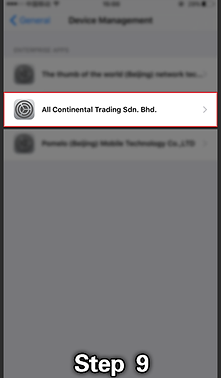
Step 09
Refer to STEP 05 to "FIND THE APPS DEVELOPER".

Step 10
Press "TUST" button.

Step 11
"APPROVE" the request.
bottom of page